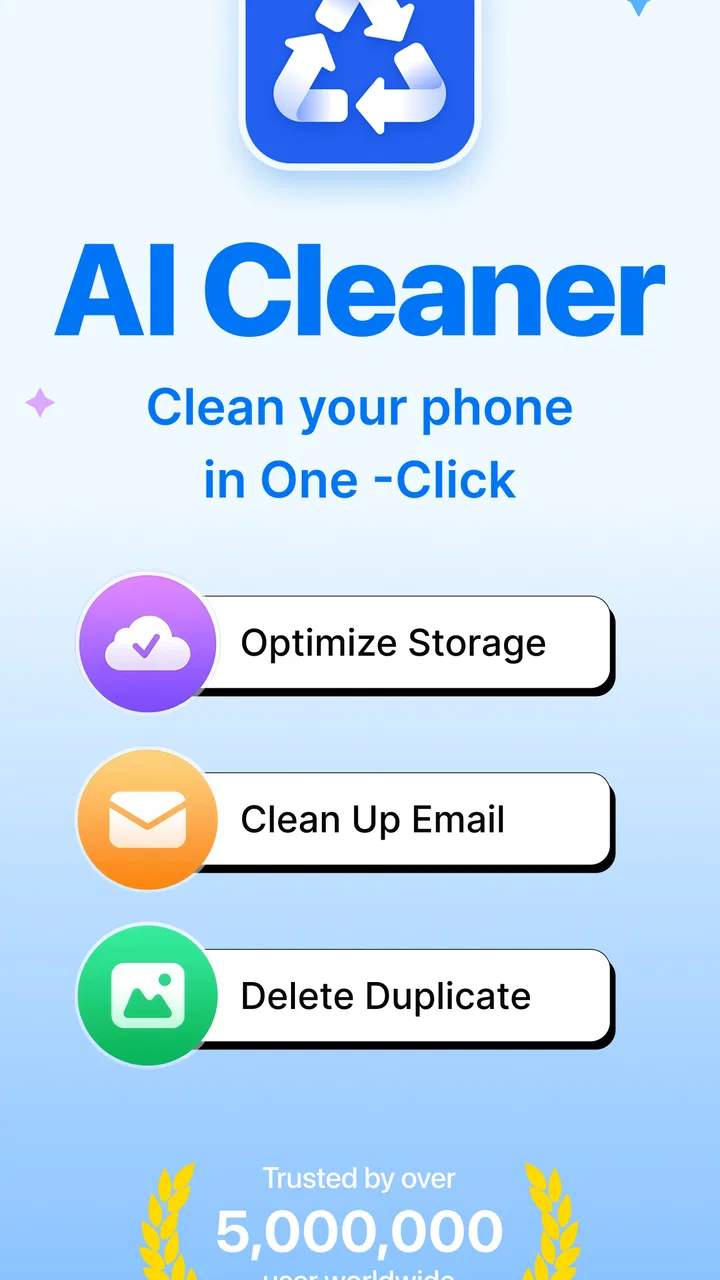
AI Cleaner: Clean up Storage
- 4.4
- Rating
- 5.00M
- Installs
- Free
- Price

 Analysis by App-foxy
Phone storage problems rarely arrive at a convenient moment. They usually appear when I am trying to take a photo, install an update, download a video, or save an attachment. The frustrating part is that the space is often not occupied by one obvious file. It is spread across repeated photos, forgotten downloads, oversized clips, and old items that are easy to overlook in the normal file manager.
That is the problem AI Cleaner: Clean up Storage is built to address. It is a free tools app from iKame Applications - Begamob Global, focused on finding junk, duplicate photos, and large files so I can decide what is worth keeping. After using it, my impression is that its value is less about performing a dramatic one-tap transformation and more about shortening the annoying inspection work that normally makes storage cleanup easy to postpone.
The app has a 4.4 average from around 39 thousand ratings, and its reach is already substantial, with over 5 million installs. Those figures do not replace personal testing, but they do suggest that the basic storage-cleaning idea is easy for many Android users to understand. It is available at no upfront cost, rated for Everyone, and the current version is 1.2.5. It supports Android 9 and later, which keeps it accessible to a wide range of phones.
You May Also Like

 Blood Strike: 2.5 Anniversary
Blood Strike’s Loadouts Turn Every Drop Into a Tactical Gamble
A close look at Blood Strike’s custom loadouts: how fast access to signature weapons reshapes its battle royale rhythm, rewards preparation, and narrows the gap between fights.

 Pandora - Music & Podcasts
Pandora’s Music Is Easy to Start, but Harder to Recover
Pandora’s strength is its low-effort path from a seed to a station. Its weak spot is how much confidence it asks you to place in connection, setup, and quiet recovery.

 8 Ball Pool
 Is Built on Rivalries, Rematches, and Routine
A close look at the rivalries, rematches, shared routines, and unanswered safety questions that turn a quick pool match into a persistent mobile community.

 Samsung Music
’s Quiet Strength Is Playing What You Already Own
Its reach comes less from spectacle than from dependable access to a personal library. That simplicity is both the app’s strongest retention engine and its ceiling.

 AccuWeather: Weather Radar
AccuWeather Review: A Quick, Clear Forecast for Everyday Decisions
For everyday plans, the best forecast is the one you can understand quickly. AccuWeather makes rain timing, radar, and local conditions easy to act on, with a few trade-offs.

 Hill Climb Racing
Why Hill Climb Racing Still Turns Crashes Into One More Run
A tiny car, a bumpy hill and one more upgrade: Hill Climb Racing keeps resurfacing because its simple chaos makes every near-miss feel personal.
More From Our News Desk



How AI Cleaner Fits Into Real Storage Cleanup
I find the most useful way to judge AI Cleaner is to treat it as a shortcut to the right questions, not as an automatic answer. It can help me spot where storage pressure may be coming from, while leaving the important choices in my hands. That distinction matters most when a cleanup suggestion looks obvious at first glance but the file has a story I should check before moving on.
The recurring mess is harder to spot than it looks
Most people do not need a cleaner because their phone contains nothing but useless files. They need one because useful and useless items become mixed together. A messaging app may leave several copies of the same image. A camera folder may contain near-identical shots from one moment. A large screen recording can remain forgotten for months while smaller files attract all the attention.
Android's built-in storage tools are useful for seeing broad categories, but they do not always make the decision process comfortable. I can often see that photos or videos occupy a lot of space, yet I still have to open folders, compare images, and remember why a file exists. That is where this app's focus on duplicate photos and large files makes sense. It brings the items most likely to create a quick, meaningful recovery closer to the surface.
The word “AI” should not make anyone expect a completely independent housekeeper. I still treat every suggested deletion as a recommendation rather than an instruction. A duplicate image may be a backup, an edited version, or an important document photographed twice for a reason. The useful part is faster discovery; the final judgement remains mine.
What I would do before the first cleanup
I would begin with a modest scan rather than immediately trying to empty everything the app presents. The first pass is most useful as an audit. I want to see whether the biggest opportunities are repeated images, very large media, or general junk. That tells me how the phone's storage habits have developed and prevents me from treating every category as equally disposable.
My safest starting point is the duplicate-photo area. I look at groups instead of selecting everything blindly, keep the clearest original, and check whether another copy has been cropped, edited, or annotated. For screenshots, I am more relaxed: old order confirmations, temporary instructions, and abandoned troubleshooting images are often easy wins. Personal photos deserve slower handling because visual similarity is not the same as emotional or practical redundancy.
Large files need a different workflow. Size alone does not make a file unnecessary. A long family video, an offline map, or a work recording may be large precisely because it matters. I use the large-file view to ask three questions: Can I recreate or redownload this? Have I opened it recently? Is it already backed up somewhere I trust? Only when the answers are comfortable do I remove it.
The best first cleanup is selective, not spectacular. Removing a few clearly unwanted items is more valuable than deleting aggressively and later regretting it. It also gives me confidence in how the app groups content before I use it for a more substantial storage session.
A practical routine for duplicate photos
Duplicate management is where a cleaner can save the most patience, but it is also where careless automation can cause the most regret. I would review one group at a time, paying attention to resolution, framing, and whether one image contains a useful crop. A burst of nearly identical photos may look repetitive in a grid while still containing one expression or detail that I want to preserve.
For a phone used by several people, I would also separate personal albums from shared or downloaded material before cleaning. Images received through chats can look like camera duplicates even though they serve different purposes. Keeping a single copy may be sensible when several versions are truly identical, but not when one carries a different caption, markup, or context that matters later.
This is a less obvious strength of the app's approach: it turns a vague “my photos are taking too much space” complaint into a visual decision-making task. That is easier to understand than browsing a long file list. The trade-off is that visual review still takes time. AI-assisted grouping reduces searching; it does not remove the responsibility to inspect meaningful pictures.
Everyday situations where the app earns its place
One realistic example is a weekend trip. I might take several versions of the same landmark, save maps and restaurant images, receive photos from friends, and record a few long clips. A week later, the phone warns that storage is nearly full. Instead of manually searching every folder, I can use this app to start with repeated photos and unusually large videos, then clear the items I recognize as disposable.
Another situation is preparing for a system update. The update itself may not be the only reason to clean up, but freeing space beforehand can reduce the scramble of deciding what to remove at the last minute. I would run a review several days earlier, remove temporary screenshots and abandoned downloads, and leave important media untouched. The time saved comes from having the likely candidates gathered in one place.
It is also useful after moving between phones or restoring content. Transfers can leave overlapping copies, especially when photos have existed in more than one folder. In that case, I would use the app as a post-migration inspection tool rather than assuming every repeated-looking file is safe to erase. This workflow is particularly helpful when the phone feels cluttered but I no longer remember which folders came from which device.
For people who record lots of video, the large-file view can be more valuable than a general junk button. A few long recordings can dominate storage, while dozens of small files barely matter. I prefer reviewing those large items by purpose: completed projects, shared clips, accidental recordings, and files that have already been copied elsewhere. That approach makes the app a prioritization tool instead of merely a deletion shortcut.
Where it removes friction compared with usual alternatives
The ordinary alternative is the phone's file manager or storage settings. Those tools remain important because they provide a broad system-level view and are often the safest place to understand app storage. However, they can make photo comparison and duplicate review feel like detective work. AI Cleaner is more focused on presenting likely cleanup targets, so it is better when I want a guided visual pass rather than a technical inventory.
Another alternative is cleaning manually inside each photo, messaging, and download app. That can be thorough, but it scatters the task across multiple locations. It is easy to remember one folder and forget another. A dedicated cleaner reduces the number of places I need to visit, particularly when the immediate goal is finding repeated photos and oversized files rather than managing one specific app.
Cloud photo services can also help by identifying duplicates or storing older media elsewhere, but they solve a different problem. Moving a file to the cloud may reduce local usage while introducing questions about synchronization, offline access, and whether the original has really been removed. AI Cleaner is more direct for local inspection. I would use cloud backup as protection and this app as a way to decide what should remain on the device.
Dedicated file managers may be preferable for advanced users who need precise folder control, file renaming, archive handling, or detailed transfer workflows. I would not replace a full file manager with this app if my main task involved organizing documents. Its appeal is narrower and more practical: surface the kinds of clutter that ordinary users are most likely to overlook.
Small habits that make the cleanup safer
I would avoid treating the cleaner as a weekly ritual that demands deleting something every time. A scan can be useful even when the right decision is to keep most items. Storage changes with travel, video recording, messaging, and downloads, so the best interval depends on how the phone is used. Heavy camera users may benefit from checking after a major event, while a lighter user may only need it when space becomes tight.
I also prefer cleaning by category rather than by the amount of space displayed. First I review obvious duplicates, then temporary screenshots, and only afterward large personal media. This order usually produces fewer emotional decisions at the beginning and helps me learn which files are genuinely safe to remove. It also avoids spending time on tiny junk files when one forgotten recording is responsible for most of the pressure.
Before deleting anything important, I check whether it exists in a trusted backup or can be recovered from its original source. I would be especially careful with work documents, identity records, receipts, medical images, and family videos. A cleaner can make selection easier, but it cannot know the personal value of a file simply from its appearance or size.
What may still feel inconvenient
The main limitation is that storage cleanup is inherently a review task. Even a well-organized suggestion list cannot reliably understand every personal exception. Similar photos may be intentionally retained, and a large file may be more important than a hundred small ones. Anyone expecting a single tap to solve a complicated media library may find the process slower than the short description suggests.
There is also a practical reason to compare the app's suggestions with Android's own storage information. A cleaner's categories are helpful for discovery, but system settings remain the better reference when I need to understand which apps, cached areas, or system components are consuming space. I would use both views rather than assuming one screen represents the entire storage picture.
The free entry point is convenient, but the app includes in-app purchases ranging from $6.99 to $49.99 per item. That makes it important to pay attention to any upgrade screen and decide whether the extra value fits my needs before committing. Someone who only needs occasional duplicate and large-file reviews may not need to pay, while a frequent cleaner may judge additional paid options differently.
Privacy-conscious users should also approach any storage utility thoughtfully. The app's purpose requires it to work with local content categories, so I would read the permission prompts and privacy explanations shown on the device before continuing. I would not grant access casually, and I would stop if the requested access did not match the cleanup job I intended to perform.
Who should use it, and who should skip it
I think this app suits Android users who repeatedly run out of space because of photos, screenshots, downloads, and large videos. It is especially approachable for someone who finds conventional folder browsing tiring and wants likely cleanup candidates grouped into a more understandable review. The Everyone age rating also makes its presentation broadly accessible, although adults should still supervise important shared devices and teach younger users not to delete files without checking.
It is a good fit for people who want control but need help finding the clutter. The app does not have to make every decision for me to be useful; reducing the search time is already a meaningful improvement. If I regularly take many similar pictures or record long clips, that focused workflow can save more effort than manually checking folders.
I would skip it if my phone has plenty of free space and I already maintain a careful file system. I would also lean toward a full file manager when my priority is documents, folder structure, transfers, or detailed storage diagnosis. Users who expect automatic, risk-free deletion should avoid relying on any cleaner in that way. The right audience is someone comfortable making the final call after receiving organized suggestions.
My final judgement after using the cleanup workflow
AI Cleaner: Clean up Storage is most convincing as a time-saving inspection layer. It addresses the recurring annoyance of hunting through mixed-up media by directing attention to duplicate photos and large files, the two areas where a short review can make a noticeable difference. I like that its usefulness does not depend on deleting everything; even a cautious pass can reveal why storage is disappearing.
My recommendation comes with a clear condition: use it deliberately. Review groups, protect meaningful originals, verify backups, and compare the result with Android's own storage view when the numbers do not make sense. The app is not a substitute for judgement, and its AI label should be understood as assistance rather than permission to erase without looking.
For a free tools app on Android 9 or later, it offers a sensible answer to a common problem, particularly for photo-heavy phones. The developer is iKame Applications - Begamob Global, and the current version is 1.2.5. I would recommend trying it when storage pressure is caused by visual clutter and oversized media, while keeping a traditional file manager or system settings available for more technical cleanup. Used that way, it removes enough friction to make an unpleasant job feel manageable without pretending that personal files can be judged perfectly by automation.
FAQs for AI Cleaner: Clean up Storage
01What is AI Cleaner: Clean up Storage, and what does it do?
AI Cleaner: Clean up Storage is a mobile utility designed to help organize and free space on your device. It typically scans for unwanted files, duplicate or similar photos, large videos, screenshots, temporary data, and other items that may no longer be needed. After reviewing the scan results, you can select files for removal rather than deleting everything automatically, giving you more control over your storage.
02Can AI Cleaner safely delete my photos, videos, or important files?
The app can help identify content that appears unnecessary, but users should always review the suggested items before confirming deletion. Similar-looking photos, old downloads, and large videos may still be valuable, while some system or application files may be required for normal operation. It is strongly recommended to keep a backup of important memories and documents before using any cleaning feature.
03Does AI Cleaner: Clean up Storage improve phone performance?
Removing unnecessary files can create additional free storage, which may make a device feel less cluttered and help when storage is nearly full. However, the app is not a guaranteed performance booster, and it cannot solve every cause of slow operation. Problems related to outdated software, battery health, background apps, or limited hardware may require different solutions beyond storage cleanup.
04Is AI Cleaner: Clean up Storage free to use?
Availability of features may depend on the version installed and the developer’s current subscription model. Basic scanning or cleaning tools may be available without payment, while advanced functions, unlimited cleaning, deeper analysis, or an ad-free experience could require a premium plan or in-app purchase. Check the app’s store listing carefully for pricing, trial terms, renewal details, and cancellation instructions.
05What permissions does AI Cleaner need, and should I be concerned about privacy?
A storage-cleaning app generally needs permission to access photos, videos, and files so it can scan and organize them. Review the permission requests before granting access, and provide only what is necessary for the features you intend to use. You should also read the app’s privacy policy to understand whether scan information, device data, or usage statistics are collected, shared, or processed online.
Pros
- Quickly identifies large
- duplicate
- and unnecessary files
- Simple interface makes storage cleanup easy for beginners
- Photo cleanup tools help find similar and blurry images
- Can free space without manually browsing every folder
- Useful storage overview shows what is taking up space
Cons
- Some advanced cleanup features may require a subscription
- Scanning large photo libraries can take noticeable time
- Automatic suggestions should be reviewed before deleting files
- Results may vary depending on device permissions and system limits
- Frequent cleanup reminders or ads may feel intrusive

AI Cleaner: Clean up Storage
Gallery